
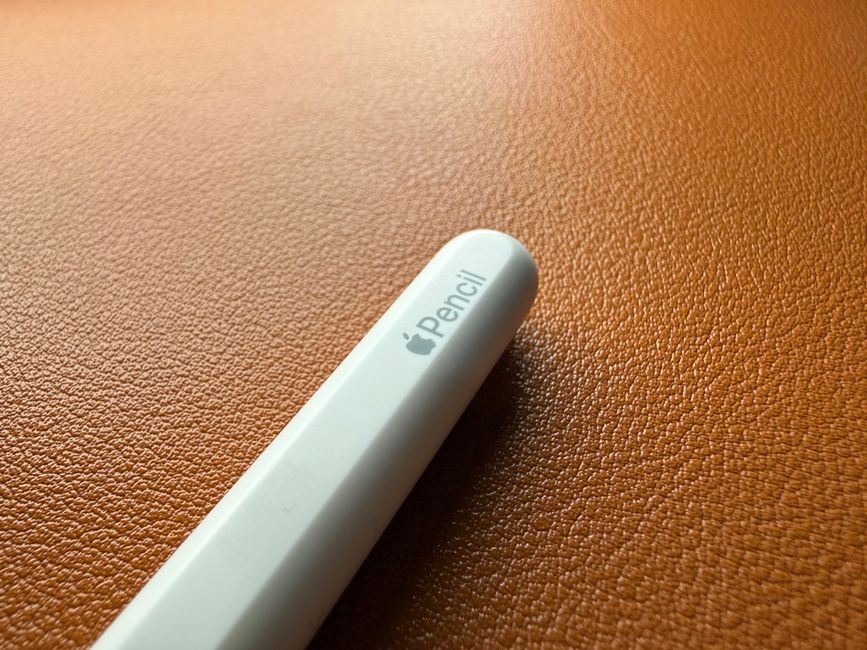
Apple Pencil: Revolutionizing Digital Creativity and Productivity
The Apple Pencil, a stylus designed exclusively for iPads, has fundamentally altered the landscape of digital art, note-taking, and overall productivity. Its seamless integration with Apple’s tablet ecosystem, coupled with a suite of advanced features, positions it as an indispensable tool for a wide range of users, from professional artists and designers to students and business professionals. Understanding its capabilities, variations, and how to best leverage its potential is key to unlocking its transformative power. This article delves deep into the Apple Pencil, exploring its technological underpinnings, its impact on various workflows, and its future implications for digital interaction.
Technical Marvels: The Science Behind the Stylus
The magic of the Apple Pencil lies in its sophisticated technological design, meticulously engineered to mimic the natural feel of traditional writing and drawing instruments. At its core, the Pencil utilizes a combination of capacitive sensing and advanced pressure and tilt detection. The tip of the Pencil contains a complex array of sensors that communicate with the iPad’s display at an incredibly high refresh rate. This rapid communication ensures near-instantaneous response, eliminating any perceptible lag between stylus movement and its digital representation on the screen. This is crucial for fluid drawing and precise line work, where even milliseconds of delay can disrupt the creative flow.
Pressure sensitivity is a cornerstone of the Apple Pencil’s functionality. By detecting varying degrees of pressure applied to the tip, the Pencil can control line thickness and opacity. A light touch produces a fine, delicate line, while increased pressure results in a thicker, bolder stroke. This nuanced control allows for expressive drawing and shading, mirroring the capabilities of physical pencils, charcoal, and brushes. This feature is not merely cosmetic; it’s integral to artistic expression and allows for a natural ebb and flow in visual creation.
Tilt sensitivity further enhances the Pencil’s realism. By recognizing the angle at which the Pencil is held, it can simulate the effects of different drawing tools. For instance, tilting the Pencil can produce broader, more shaded strokes, akin to using the side of a charcoal stick or a paintbrush. This adds another layer of control and realism, making it an exceptionally versatile tool for artists and illustrators.
Connectivity is another critical aspect. The Apple Pencil pairs wirelessly with compatible iPads via Bluetooth. The pairing process is remarkably simple and automatic, ensuring that the Pencil is always ready for use the moment it’s needed. Power management is also elegantly handled. The Apple Pencil charges wirelessly when attached magnetically to compatible iPads (for the second-generation and newer models) or via a Lightning connector (for the first-generation model). This eliminates the hassle of separate chargers and ensures that the Pencil is ready for extended use. The battery life is impressive, typically lasting for many hours of continuous use, and a brief charging session can provide a significant amount of power.
Generations of Innovation: Apple Pencil (1st Gen) vs. Apple Pencil (2nd Gen) and Beyond
Apple has iterated on the Apple Pencil, with each generation building upon the strengths of its predecessor and introducing new conveniences.
The Apple Pencil (1st generation), released alongside the original iPad Pro, established the foundational technology. It featured a smooth, cylindrical design with a removable cap that concealed a Lightning connector for charging and pairing. While groundbreaking at its release, the charging method was often cited as a point of inconvenience, as it required the Pencil to be plugged directly into the iPad.
The Apple Pencil (2nd generation) marked a significant leap forward in user experience. It boasts a flattened edge, which not only provides a more ergonomic grip but also facilitates magnetic attachment and wireless charging to the side of compatible iPads. This "snap-on" charging eliminates the need for a separate cable and ensures the Pencil is always charging when not in use, significantly improving convenience. Furthermore, the second-generation Pencil introduced double-tap functionality. Users can configure a double-tap gesture on the flat side of the Pencil to quickly switch between tools, such as toggling between the pen and the eraser, or accessing a specific function within an app. This dramatically streamlines workflows, especially in creative applications where rapid tool switching is essential.
Beyond these core models, Apple has introduced variations like the Apple Pencil (USB-C). This model offers a more affordable entry point and utilizes a USB-C port for both charging and pairing, providing a versatile and accessible option for a wider range of iPad users. While it may not possess all the advanced features of the second-generation Pencil, it still delivers the core benefits of precise input and digital creativity. The availability of different Apple Pencil models ensures that users can select the option that best suits their budget and specific needs.
Transforming Workflows: Artistic Expression and Beyond
The impact of the Apple Pencil on digital art and design workflows is undeniable. For illustrators and artists, the Pencil transforms the iPad into a powerful digital canvas. Apps like Procreate, Adobe Photoshop, and Affinity Designer become incredibly intuitive and responsive with the Apple Pencil, allowing for natural brush strokes, detailed shading, and precise line work. The ability to create art with pressure and tilt sensitivity offers a level of expressiveness that was previously difficult to achieve with touch-based interfaces alone. Artists can now sketch, paint, and ink directly on their iPads with a fluidity that closely mimics traditional media.
Beyond pure art, the Apple Pencil is a game-changer for note-taking and annotation. Students can take handwritten notes in lectures, circle important points in digital textbooks, and even sketch diagrams with the same ease as pen and paper. Professionals can mark up documents, review proposals, and brainstorm ideas directly on their iPads. The integration with apps like Apple Notes and Markup allows for seamless organization and sharing of these handwritten annotations, making them searchable and easily accessible. This has significantly reduced the reliance on printing documents for annotation and has made digital workflows more efficient and environmentally friendly.
In the realm of productivity and business, the Apple Pencil enhances interaction with apps like Numbers, Pages, and Keynote. Users can create precise charts, sign documents digitally, and even offer handwritten feedback on presentations. For designers and architects, the Pencil enables detailed sketching and precise manipulation of models in 3D design software. The ability to make fine adjustments and annotations with precision is invaluable in these fields.
The Apple Pencil has also found its place in specialized fields. Medical professionals can use it to annotate scans and patient records, while educators can use it to create interactive lessons and provide personalized feedback on student work. The versatility of the Apple Pencil makes it adaptable to a multitude of professional and educational settings, fostering new ways of working and learning.
Leveraging the Power: Tips for Optimal Apple Pencil Use
To truly harness the potential of the Apple Pencil, understanding a few key strategies can significantly enhance the user experience:
- Explore App Compatibility: Not all apps are created equal when it comes to stylus support. Prioritize apps that are specifically designed or optimized for Apple Pencil input. Look for features like pressure sensitivity, tilt support, and palm rejection.
- Master App-Specific Gestures: Many creative and productivity apps have unique gestures that can be activated with the Apple Pencil. Familiarize yourself with these shortcuts to enhance efficiency. For example, in Procreate, learning how to use the smudge tool with the Pencil can open up new artistic possibilities.
- Customize Double-Tap (2nd Gen): If you own the second-generation Apple Pencil, dedicate time to customizing the double-tap functionality to suit your most frequent actions. This small optimization can save considerable time during intensive work sessions.
- Invest in a Good Screen Protector: While iPads are durable, a high-quality screen protector designed to enhance the texture of writing or drawing can significantly improve the tactile feel and accuracy of the Apple Pencil. Some offer a paper-like texture, reducing screen glare and providing more friction.
- Experiment with Different Drawing/Writing Apps: The App Store is rich with options. Try out several note-taking and drawing applications to find the ones that best fit your personal style and workflow.
- Utilize Palm Rejection: All compatible iPads offer excellent palm rejection, meaning you can rest your hand on the screen while drawing or writing without unintended input. Ensure this feature is enabled in your iPad’s settings.
- Keep Your iPad and Pencil Charged: While the charging mechanisms are convenient, ensuring both your iPad and Pencil have sufficient battery life will prevent interruptions during crucial tasks.
- Clean the Tip Regularly: Over time, the tip of the Apple Pencil can accumulate dust and debris, which can affect its responsiveness. A gentle wipe with a soft, dry cloth can maintain optimal performance.
- Consider Third-Party Accessories: Beyond screen protectors, a variety of cases and grips are available for the Apple Pencil, offering enhanced comfort and protection.
The Future of Digital Input: What’s Next for the Apple Pencil?
The trajectory of the Apple Pencil suggests a continued evolution in digital input. As augmented reality (AR) and virtual reality (VR) technologies become more sophisticated, the need for precise and intuitive input devices will only grow. It’s conceivable that future iterations of the Apple Pencil could incorporate haptic feedback, allowing users to "feel" digital textures or the resistance of virtual materials. Advanced motion tracking and even biometric sensors could further expand its capabilities, enabling more immersive and personalized digital experiences.
The integration with Apple’s broader ecosystem is also a key area for future development. Imagine the Apple Pencil seamlessly interacting with the Mac, or enabling more profound creative collaboration across devices. As AI continues to advance, the Apple Pencil could become an even more intelligent tool, anticipating user needs and offering contextual suggestions within apps.
The Apple Pencil is not merely a stylus; it’s a gateway to a more intuitive, expressive, and productive digital existence. Its ongoing development and integration into various workflows solidify its position as a vital component of the modern digital toolkit, continuously redefining the boundaries of what’s possible on an iPad and beyond.




Leave a Reply