
Upgrade Your Content Creation Kit: Essential Tools for Peak Performance
The efficacy of content creation hinges on a meticulously curated toolkit. For creators aiming to elevate their output from competent to exceptional, a strategic upgrade of existing equipment and the acquisition of new, specialized tools are paramount. This article outlines key areas for investment, from foundational hardware to nuanced software solutions, designed to streamline workflows, enhance quality, and unlock new creative possibilities.
The cornerstone of any content creation kit is its processing power and display. A robust computer, whether a desktop or a high-performance laptop, is non-negotiable. For video editing and graphic design, prioritize processors with high core counts (e.g., Intel Core i7/i9 or AMD Ryzen 7/9), ample RAM (32GB minimum, 64GB recommended for professional video editing), and fast SSD storage. The operating system choice, macOS or Windows, often comes down to personal preference and existing ecosystem, but both offer powerful creative suites. Beyond raw processing, a color-accurate monitor is indispensable. Look for displays with high sRGB or Adobe RGB coverage (99% or more), good contrast ratios, and a resolution of at least 4K for detailed visual work. External calibration tools, such as spectrophotometers, ensure consistent color reproduction across projects and media. Consider a dual-monitor setup to maximize screen real estate for multitasking and referencing. For portability, compact yet powerful laptops with dedicated graphics cards (NVIDIA GeForce RTX or AMD Radeon Pro series) are crucial for on-the-go editing and creation. The efficiency gained from faster rendering times and smoother playback directly translates into more productive creation sessions.
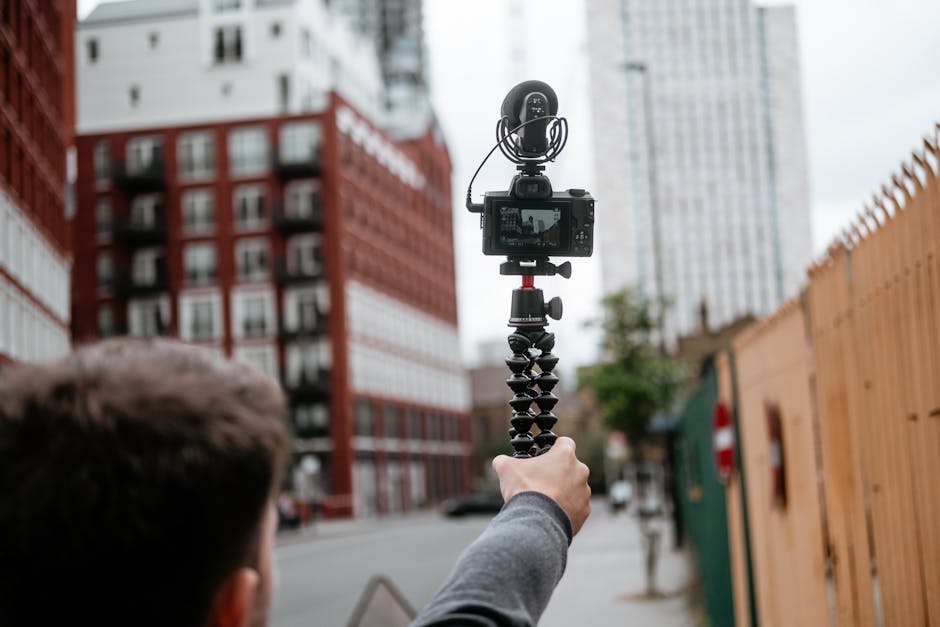
Audio quality is often the most overlooked yet critically important aspect of content creation, especially for video and podcasting. Investing in a quality microphone is a fundamental upgrade. For spoken word content, condenser microphones offer superior detail and sensitivity, while dynamic microphones are more robust and better suited for noisy environments. USB microphones provide plug-and-play simplicity and are excellent for beginners, but XLR microphones, paired with an audio interface or mixer, offer greater flexibility and professional sound quality. Popular choices include Rode NT-USB+, Blue Yeti for USB, and Shure SM58 or Rode NT-USB Mini for XLR. An audio interface, such as a Focusrite Scarlett or PreSonus AudioBox, converts analog microphone signals to digital for computer processing, often providing phantom power for condenser mics and preamps for cleaner gain. Dedicated audio recording software, like Audacity (free), Adobe Audition, or Logic Pro X, offers sophisticated editing capabilities, noise reduction, and mastering tools. For video creators, ensuring clean audio capture on set can save hours of post-production cleanup. A lavalier microphone (clip-on) is ideal for interviews and vlogs where the subject is moving.
Visual fidelity is another area ripe for significant upgrades. For photographers and videographers, a high-quality camera is the primary tool. Full-frame mirrorless cameras, such as those from Sony Alpha, Canon EOS R, or Nikon Z series, offer superior low-light performance and depth-of-field control. Interchangeable lenses provide immense creative flexibility. A versatile zoom lens (e.g., 24-70mm f/2.8) covers most situations, while prime lenses (e.g., 50mm f/1.8) offer exceptional sharpness and low-light capabilities. For video, cameras with good autofocus, high frame rate recording (4K at 60fps or 120fps), and internal color grading options (like LOG profiles) are essential. Beyond the camera itself, consider accessories that enhance shooting. A gimbal or stabilizer is crucial for achieving smooth, cinematic footage, especially when shooting handheld. Lighting is perhaps the most impactful element for visual quality. A portable LED lighting kit, including softboxes or diffusion panels, can transform the look of any scene, allowing for controlled illumination and mood creation. Even a simple ring light can dramatically improve self-recorded videos. Tripods and light stands are fundamental for stable shots and precise lighting placement.
Storage and backup solutions are the unsung heroes of a content creation workflow. With the ever-increasing file sizes of high-resolution media, robust storage is critical. Internal SSDs are essential for operating systems and active project files due to their speed. For storing large media libraries and completed projects, high-capacity external hard drives or Network Attached Storage (NAS) devices are indispensable. Consider RAID configurations on NAS drives for data redundancy, protecting against drive failure. Cloud storage services (e.g., Google Drive, Dropbox, OneDrive) are excellent for collaboration, remote access, and offsite backups. A comprehensive backup strategy should involve at least three copies of data: one on your primary system, one on a secondary local backup (external drive or NAS), and one offsite (cloud or a physical drive stored elsewhere). Regularly scheduled backups minimize the risk of catastrophic data loss.
Software is the engine that drives creative output. Beyond operating systems, specialized software suites are vital. For graphic design and photo editing, Adobe Creative Cloud (Photoshop, Illustrator, InDesign) remains the industry standard, but alternatives like Affinity Photo and Designer, or GIMP (free), offer powerful features. Video editing suites range from user-friendly options like Final Cut Pro (macOS only) and Adobe Premiere Pro to more professional-grade software like DaVinci Resolve (which also offers robust color grading and audio post-production capabilities). For motion graphics and visual effects, Adobe After Effects is the dominant force. 3D modeling and animation software such as Blender (free and open-source), Cinema 4D, or Autodesk Maya open up new dimensions of creative expression. Project management and collaboration tools, like Asana, Trello, or Monday.com, can help organize complex projects and streamline team efforts. Even seemingly minor software, like screenshot tools (e.g., Snagit) or file management utilities, can significantly improve workflow efficiency.
The peripherals and accessories in your kit can provide subtle yet significant advantages. A high-quality mouse and keyboard are not just input devices; they are extensions of your creative intent. Ergonomic designs can reduce strain during long work sessions. For digital artists and photo editors, a graphics tablet (e.g., Wacom Intuos or Cintiq) offers precise control and pressure sensitivity, enabling more natural and nuanced brushwork and retouching. Color calibrators for monitors are essential for color-critical work. External displays, especially portable ones, can be invaluable for reviewing footage or expanding your workspace. Cable management solutions, like Velcro straps or cable sleeves, can prevent clutter and potential damage to equipment. Surge protectors are a small but vital investment to safeguard your valuable hardware from electrical spikes.
Beyond hardware and software, understanding and optimizing your physical workspace contributes to enhanced content creation. An ergonomic setup with a comfortable chair and desk that allows for proper monitor height and keyboard positioning is crucial for long-term productivity and well-being. Adequate lighting in your workspace, distinct from your creative lighting setups, reduces eye strain. Noise cancellation headphones can create an immersive work environment, especially in shared spaces. Even seemingly small items, like a good notepad for brainstorming or a charging station for multiple devices, can contribute to a smoother workflow.
The continuous evolution of content creation technology necessitates an ongoing commitment to learning and adaptation. Regularly researching new tools, software updates, and industry best practices is essential. Attending webinars, online courses, and industry conferences can provide valuable insights and expose you to innovative techniques. Networking with other creators can lead to knowledge sharing and collaborative opportunities. A proactive approach to upgrading and optimizing your content creation kit ensures you remain at the forefront of your field, producing high-quality, engaging content efficiently and effectively. The investment in these tools is not merely an expenditure; it’s a strategic enhancement of your creative potential and a commitment to delivering superior results.





Leave a Reply