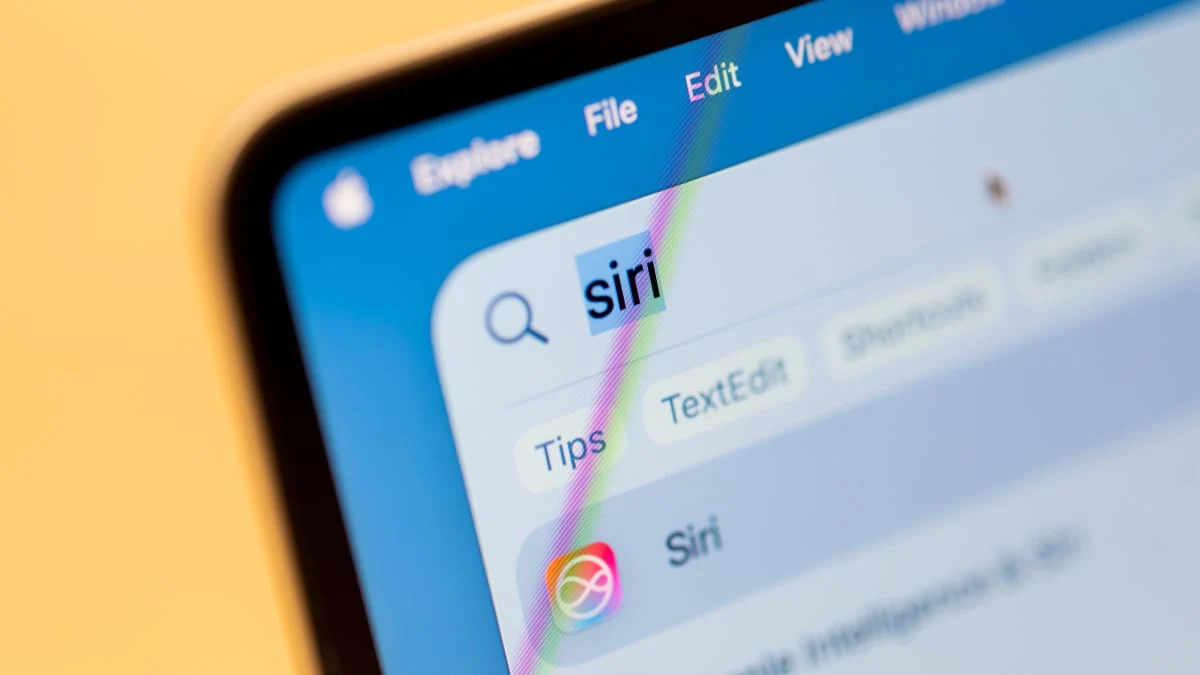
The technology world is abuzz with Apple’s long-anticipated re-launch of Siri as a sophisticated AI assistant, with users now able to test the Siri AI beta for iOS, yet a more intriguing development has emerged from the macOS ecosystem: a clandestine Siri AI interface discovered within the macOS 27 Golden Gate beta, suggesting Apple’s intent to deeply embed generative AI capabilities across its flagship operating systems. This hidden feature, unearthed by diligent beta testers, offers a glimpse into a future where Mac users can leverage an array of artificial intelligence tools directly within their daily workflows, activated through a minimalist, context-sensitive pop-up menu.
The Genesis of the Discovery: Unveiling a Hidden Layer
The initial revelation came from a Reddit user, identified as part of the vibrant r/MacOSBeta subreddit community, who documented the existence of a "hidden lightweight UI" for Siri AI. This discovery was made within the developer beta of macOS 27, codenamed "Golden Gate," a release that, while still under active development, appears to harbor advanced functionalities not yet publicly acknowledged by Apple. Beta programs, by their very nature, serve as testing grounds where developers and enthusiastic users can explore nascent features, often inadvertently stumbling upon those that are either incomplete or deliberately concealed for future unveiling. The unearthing of this Siri AI interface underscores the meticulous, often iterative, process of software development at a company like Apple, where features may be integrated into the codebase long before they are deemed ready for widespread public consumption. This particular discovery quickly disseminated across tech forums and news outlets, sparking considerable speculation about Apple’s overarching AI roadmap.
A Deep Dive into the Hidden Siri AI Interface
At its core, the newly discovered Siri AI interface manifests as a dynamic pop-up menu, designed to appear whenever text is highlighted by the user. This intuitive activation mechanism suggests a focus on enhancing productivity and streamlining content creation and modification directly within macOS applications. The suite of AI tools embedded within this pop-up is both diverse and practical, indicative of a concerted effort to leverage AI for common textual tasks.
Among the prominent AI functionalities listed are "Rewrite," "Proofread," "How does this sound?," and "Edit with Siri." These tools directly address common challenges in writing and communication. For instance, "Rewrite" could offer alternative phrasings or stylistic adjustments, invaluable for drafting professional correspondence or creative content. "Proofread" would extend beyond basic spell-checking to include grammatical corrections, punctuation suggestions, and perhaps even stylistic consistency checks, aligning with the capabilities of advanced linguistic AI models. The "How does this sound?" option hints at a sophisticated tone analysis feature, allowing users to gauge the perceived sentiment or formality of their text before sending it, a crucial aid in delicate communications. "Edit with Siri" suggests a more open-ended, conversational approach to text manipulation, potentially allowing users to issue natural language commands to refine their writing, such as "make this paragraph more concise" or "expand on this point."
Beyond these core writing aids, the interface also includes dedicated options for "summarization" and "providing bullet points" from selected text. These features hold significant implications for information processing and knowledge management. Imagine quickly distilling the key takeaways from a lengthy research paper or converting verbose meeting notes into actionable bullet points with a simple highlight and click. Such capabilities could dramatically reduce the time spent on administrative tasks and information synthesis, thereby boosting overall productivity for professionals and students alike.
Contextual Intelligence: Beyond Textual Manipulation
Perhaps even more compelling is the Siri AI’s ability to offer context-specific tools based on the type of information highlighted. This demonstrates a nuanced understanding of user intent and data types, moving beyond generic AI functionalities to provide genuinely intelligent assistance. For example, highlighting a phone number prompts the pop-up to offer an "Add to contacts" option, streamlining the process of saving new contact information. Similarly, selecting an address immediately presents an "Open in Maps" option, bypassing the need to copy, switch applications, and paste.
The integration extends further into daily task management:
- Calendar Events: Highlighting a date or a description of an event could trigger an "Create Calendar Event" option, automatically populating fields like date, time, and title, saving users from manual data entry.
- Messaging and Emails: Selecting text could provide options to "Compose Message" or "Compose Email," pre-filling the content or suggesting recipients based on context.
- Tracking: The ability to track flights and packages by highlighting relevant numbers or text strings represents a significant convenience, integrating real-time information directly into the user’s workflow without needing to navigate to separate tracking websites or apps.
This contextual awareness exemplifies Apple’s strategic vision for AI: not as a standalone chatbot, but as an invisible layer of intelligence woven into the fabric of the operating system, anticipating user needs and proactively offering relevant tools. This approach aligns with Apple’s historical emphasis on intuitive user experience and deep system integration, distinguishing it from more generalized AI platforms.
The Enigma of Concealment: Why is it Hidden?
The primary reason for the feature’s hidden status, as observed by MacRumors and echoed by the Reddit community, is its unfinished nature. The macOS 27 developer beta 3 and public beta 1 versions containing this interface are clearly not yet production-ready. Beta software, by definition, is incomplete and often riddled with bugs, performance issues, and partially implemented functionalities.
The "unfinished product" label could encompass several aspects:
- Incomplete Functionality: While some options might be present, their underlying AI models might not be fully trained or optimized, leading to inaccurate or inconsistent results. For instance, the "Rewrite" feature might produce awkward phrasing, or "Summarize" might miss key points.
- User Interface Refinements: The "lightweight UI" itself might be undergoing aesthetic and functional revisions. Apple is renowned for its meticulous attention to design and user experience, and any new interface would need to meet their stringent standards before public release.
- Performance and Stability: Integrating advanced AI capabilities into an operating system demands significant computational resources. The current implementation might be resource-intensive, leading to system slowdowns or crashes, which would be unacceptable in a final product.
- Security and Privacy Protocols: Apple places immense importance on user privacy. The AI features would need robust on-device processing capabilities, or highly secure cloud-based processing with strict data anonymization, before being rolled out. Any new AI feature would undergo rigorous privacy audits.
- Bug Fixing: As with any complex software, there would be numerous bugs and edge cases that need to be identified, replicated, and resolved before the feature can be considered stable.
Apple’s decision to keep this feature under wraps aligns with its typical product launch strategy: maintaining secrecy until a product or feature is polished, fully functional, and ready to deliver a seamless user experience. Releasing an incomplete AI feature could lead to negative perceptions and erode user trust, something Apple is keen to avoid, especially given the high expectations surrounding its AI endeavors.
Accessing the Future: Enabling the Hidden Interface
Despite its unfinished state, the Reddit community, particularly user ‘pdfu’, provided instructions for adventurous users running the macOS 27 Golden Gate beta to enable the hidden Siri AI interface. This process involves executing specific commands in the Terminal application, a powerful command-line interface for interacting directly with the macOS operating system.
The command to enable the interface is:
sudo mkdir -p /Library/Preferences/FeatureFlags/Domain && sudo defaults write /Library/Preferences/FeatureFlags/Domain/WritingTools LightweightUI_macOS -dict Enabled -bool true
This command first ensures the necessary directory structure exists (mkdir -p /Library/Preferences/FeatureFlags/Domain) and then writes a preference file (defaults write) that enables the LightweightUI_macOS feature within the WritingTools domain. The sudo prefix indicates that these commands require administrator privileges, highlighting the system-level nature of the modification. After executing this command, users are instructed to restart their computer for the changes to take effect, enabling the pop-up Siri AI interface.
For users who wish to revert the change and disable the interface, the corresponding command is:
sudo defaults write /Library/Preferences/FeatureFlags/Domain/WritingTools LightweightUI_macOS -dict Enabled -bool false
This command simply changes the Enabled boolean value from true to false, effectively deactivating the hidden feature.
A Crucial Disclaimer: It is imperative for users to understand the inherent risks associated with executing Terminal commands, particularly those modifying core operating system files. Unauthorized or incorrect modifications can lead to system instability, data loss, or even render the operating system unbootable. As such, these instructions are generally recommended only for advanced users who fully comprehend the implications of their actions and are operating within a testing environment where data loss is not critical. Mashable, and by extension, this article, explicitly cautions against running such commands without a thorough understanding and does not endorse or take responsibility for any adverse outcomes. The purpose of presenting these commands here is purely for informational context regarding the discovery and the community’s engagement with it.
Apple’s Broader AI Ambitions: A Strategic Context
The discovery of this hidden Siri AI interface on macOS 27 is not an isolated incident but rather a significant piece of Apple’s broader, evolving artificial intelligence strategy. For years, Siri has been perceived by many as lagging behind competitors like Google Assistant and Amazon Alexa in terms of natural language understanding and generative capabilities. The "relaunch of Siri as an AI assistant" on iOS, and now this Mac integration, signals Apple’s determined effort to catch up and, potentially, redefine the landscape of personal AI.
Apple’s approach to AI has historically been characterized by a strong emphasis on privacy, on-device processing where possible, and seamless integration across its tightly controlled ecosystem. While competitors like OpenAI (ChatGPT), Google (Gemini), and Microsoft (Copilot) have rapidly deployed powerful, cloud-based generative AI models, Apple has moved more deliberately. This hidden macOS feature suggests that Apple is developing its own robust, deeply integrated AI capabilities, potentially designed to operate efficiently on Apple Silicon and leverage its neural engines for local processing, thereby enhancing privacy and reducing latency.
The timing of this discovery, coinciding with the public beta of Siri AI for iOS, indicates a synchronized effort to roll out these advanced capabilities across platforms. Apple’s ecosystem strategy is a cornerstone of its success; ensuring that a powerful AI assistant is consistent and available across iPhone, iPad, Mac, and potentially other devices (like Apple Watch or Apple Vision Pro) would create a compelling, unified user experience. This cross-platform consistency is a significant differentiator and could be a key factor in how users adopt and integrate AI into their daily lives.
The "Golden Gate" codename for macOS 27 itself could be symbolic, hinting at a "gateway" to a new era of computing facilitated by AI. If these features launch successfully, they could profoundly alter how users interact with their Macs, making mundane tasks quicker and complex tasks more accessible.
Implications and the Road Ahead
The potential implications of a fully realized Siri AI interface deeply integrated into macOS are vast.
- Enhanced Productivity: For professionals, researchers, writers, and students, the ability to instantly rewrite, proofread, summarize, or extract key information from text could lead to unprecedented efficiency gains.
- Accessibility: AI tools could make computing more accessible for individuals with disabilities, offering intelligent assistance for tasks that might otherwise be challenging.
- Creative Augmentation: While not explicitly mentioned, the "Edit with Siri" feature could evolve to assist with creative writing, brainstorming, or even coding, acting as an intelligent co-pilot.
- Ecosystem Lock-in and Stickiness: A superior, integrated AI experience across Apple devices would further strengthen the appeal of the Apple ecosystem, making it more difficult for users to switch to competing platforms.
- Privacy Paradigm: If Apple successfully delivers powerful on-device AI or a highly secure cloud-based alternative, it could set a new standard for privacy in the age of generative AI, an area where many current AI models face scrutiny.
However, the path to official launch is still uncertain. It is unclear if this specific Siri AI interface, in its current form or a refined version, will launch with the official version of macOS 27. Apple often prototypes features internally or in beta releases that never see the light of day in a public release, or they may evolve significantly before launch. The feedback gathered from beta testers who enable this hidden feature will be crucial in shaping its final form and functionality.
Regardless of its immediate launch status, the discovery of this hidden Siri AI interface in macOS 27 Golden Gate beta provides compelling evidence of Apple’s serious commitment to AI. It underscores the company’s ambition to transform Siri into a truly intelligent, pervasive assistant, deeply integrated into the user experience across its entire product ecosystem. As the AI landscape continues to evolve rapidly, Apple’s methodical yet comprehensive approach, prioritizing seamless integration, contextual intelligence, and potentially privacy, positions it as a formidable contender in the race to define the future of artificial intelligence in personal computing. The wait for a fully capable Siri AI may have been long, but these glimpses suggest that Apple is indeed building a powerful, deeply integrated AI experience that could significantly enhance the capabilities of its devices.