
The Silent Symphony of Movement: Understanding Mouse Pointer Dynamics
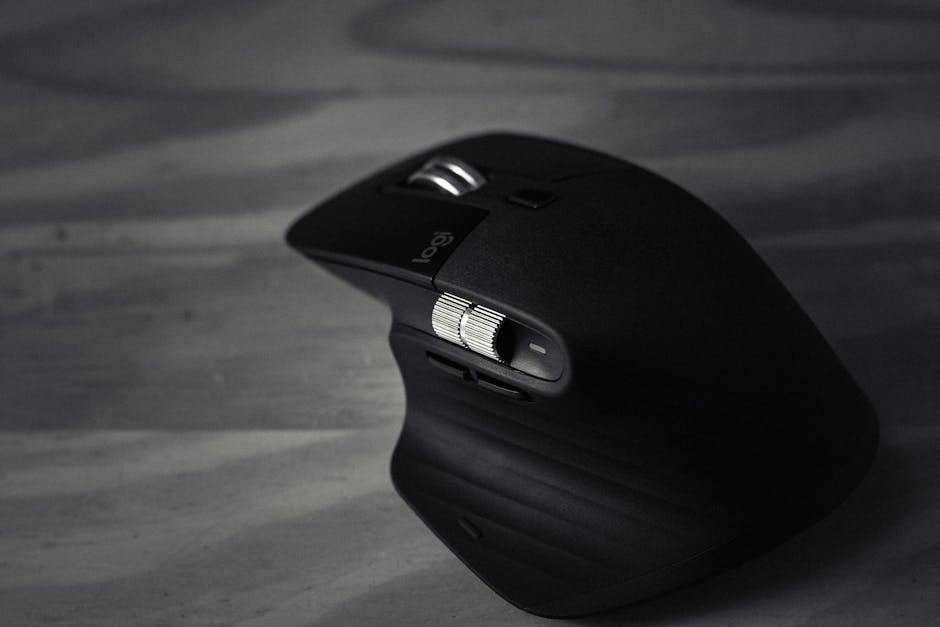
The mouse pointer, that ubiquitous digital sentinel on our screens, appears to glide with an almost ethereal grace, its movement dictated by the subtle shifts of our hand. But does the mouse pointer move with a minimum inherent speed? The answer is a resounding yes, though the perception and actual implementation of this minimum movement are layered and depend on several interconnected factors. Fundamentally, the mouse pointer’s motion is a translation of physical input into digital output. When you move a physical mouse, its internal components, typically an optical sensor or a legacy ball mechanism, detect this physical displacement. This detection is not instantaneous or infinitely granular. There’s a finite resolution at which the sensor can distinguish between different positions. This resolution, often measured in DPI (dots per inch) or CPI (counts per inch) for optical mice, dictates the smallest physical movement the mouse can reliably register. A higher DPI means the sensor is more sensitive to small physical movements, translating them into larger cursor movements on the screen. Conversely, a lower DPI makes the cursor less responsive to minor adjustments. However, the question isn’t solely about the physical sensor’s capability but also how the operating system and the application interpret this data.
The operating system acts as the crucial intermediary, receiving raw data from the mouse hardware and translating it into cursor movement. This translation process involves several algorithms and settings that can influence perceived pointer speed and responsiveness. One of the most significant factors is the "pointer speed" setting within the operating system’s mouse control panel. This setting doesn’t alter the physical sensitivity of the mouse but rather scales the digital input it receives. When you increase the pointer speed, the operating system multiplies the distance the mouse is physically moved by a certain factor, making the cursor traverse larger distances on the screen for the same physical mouse movement. Conversely, decreasing the pointer speed reduces this multiplier. This scaling mechanism directly impacts how much the pointer "moves" for any given input. Even at its slowest setting, the operating system is still processing discrete movements. If the physical input registered by the mouse is below a certain threshold of discernibility by the sensor, or if the scaled digital movement falls below a minimum actionable unit by the OS, the pointer will not move. Therefore, there’s an inherent minimum in terms of what the hardware and software can reliably detect and translate.
Beyond basic pointer speed, the concept of "mouse acceleration" plays a critical role in the user’s perception of movement. Mouse acceleration, when enabled, dynamically adjusts the pointer’s speed based on how quickly you move the mouse. If you move the mouse slowly, the pointer moves a shorter distance. If you move it quickly, the pointer covers a greater distance on the screen. This is achieved by the operating system analyzing the rate of change in the mouse’s position. The acceleration curve dictates how this speed adjustment occurs. A steeper acceleration curve means that even a slight increase in movement speed will result in a significantly faster cursor. The presence of acceleration inherently means that the pointer can move at a slower pace for slower physical inputs, and at a faster pace for faster inputs. However, even with acceleration, there’s still a minimum detectable movement. If the physical input is too small or too slow to trigger a change in the acceleration calculation, the pointer might not move at all. The system needs a discernible change in position over a discernable period to register a movement, however small.
The interaction between hardware resolution (DPI/CPI) and software settings (pointer speed, acceleration) creates a complex interplay that defines the minimum observable cursor movement. A mouse with a very high DPI will translate even tiny physical movements into noticeable digital signals, which the OS can then interpret. If the pointer speed is set to a moderate level and acceleration is off, a very small physical movement on a high DPI mouse might result in a very small, but still perceptible, cursor movement. Conversely, a low DPI mouse might not even register such a tiny physical shift. The operating system’s internal processing also has a certain level of precision. It works with discrete units of movement. If the combined effect of physical input, DPI, pointer speed scaling, and acceleration results in a calculated movement that is less than the smallest unit the OS can represent or act upon, the pointer will remain stationary. Therefore, while there isn’t a single, fixed "minimum speed" in miles per hour or pixels per second, there is an effective minimum, dictated by the lowest detectable physical input and the smallest actionable digital output that the entire system can produce.
Furthermore, the polling rate of the mouse is another critical, albeit often overlooked, factor. The polling rate, measured in Hertz (Hz), determines how often the mouse reports its position to the computer. A higher polling rate (e.g., 500Hz or 1000Hz) means the mouse sends updates more frequently, leading to smoother and more responsive cursor movement. A lower polling rate (e.g., 125Hz) results in less frequent updates, which can introduce a slight lag or choppiness. While the polling rate doesn’t directly dictate a minimum speed, it influences the immediacy and fluidity of movement. If the polling rate is very low, and the physical movement is also very small, the chance of that small movement being captured and reported between polling intervals increases. However, if the movement is below the sensor’s detection threshold, even a high polling rate won’t make the pointer move. The effective minimum movement is a product of the sensor’s precision, the OS’s processing granularity, and the reporting frequency of the hardware.
The display resolution also plays a role in how perceived movement is experienced. A higher display resolution means that the screen is composed of more pixels. Therefore, a cursor moving a single pixel on a 4K monitor will be a much smaller physical distance than a cursor moving a single pixel on a 1080p monitor. This impacts the visual perception of speed and the granularity of movement. When the operating system calculates pointer movement, it’s working with pixel units on the display. If the system translates a small physical input into, say, 0.5 pixels of movement, and the OS can only represent whole pixels, the pointer might not move. Conversely, if the system can represent sub-pixel movements or if the DPI is high enough to translate a small physical input into a full pixel or more, the pointer will move. The concept of "minimum movement" is thus intertwined with the smallest unit of displacement that can be meaningfully rendered on the screen.
The software context in which the mouse is used can also introduce its own interpretations of pointer movement. Some applications, particularly those involving precise control like graphic design or gaming, may implement their own internal sensitivity settings or acceleration curves that override or augment the system-wide settings. In these scenarios, the application’s interpretation of the mouse’s raw input can further refine or alter the perceived minimum movement. For instance, a gaming mouse might have dedicated software that allows for extremely fine-tuned control over DPI, polling rate, and acceleration profiles, enabling users to set incredibly low effective minimums for precise aiming. However, even within these specialized applications, the fundamental limitations of the hardware sensor and the digital processing pipeline remain. The pointer will not move if the input is too subtle for the sensor to detect or if the resulting digital displacement is below the threshold of what the software can process and render.
In conclusion, the mouse pointer does move with a minimum, although this minimum is not a fixed, universally defined value. Instead, it’s a dynamic threshold determined by the interplay of several factors: the physical resolution of the mouse sensor (DPI/CPI), the operating system’s pointer speed and acceleration settings, the mouse’s polling rate, the display resolution, and the specific software application’s input processing. Essentially, for the pointer to move, the physical movement of the mouse must be significant enough for the sensor to register a change in position. This registered change, after being scaled by the OS and influenced by acceleration, must then result in a digital displacement that is greater than the smallest unit the OS can process and render on the screen. When any of these elements fail to provide a sufficient signal, the pointer remains static, illustrating the inherent minimum threshold of detectable and actionable movement within the entire input-output chain.





Leave a Reply