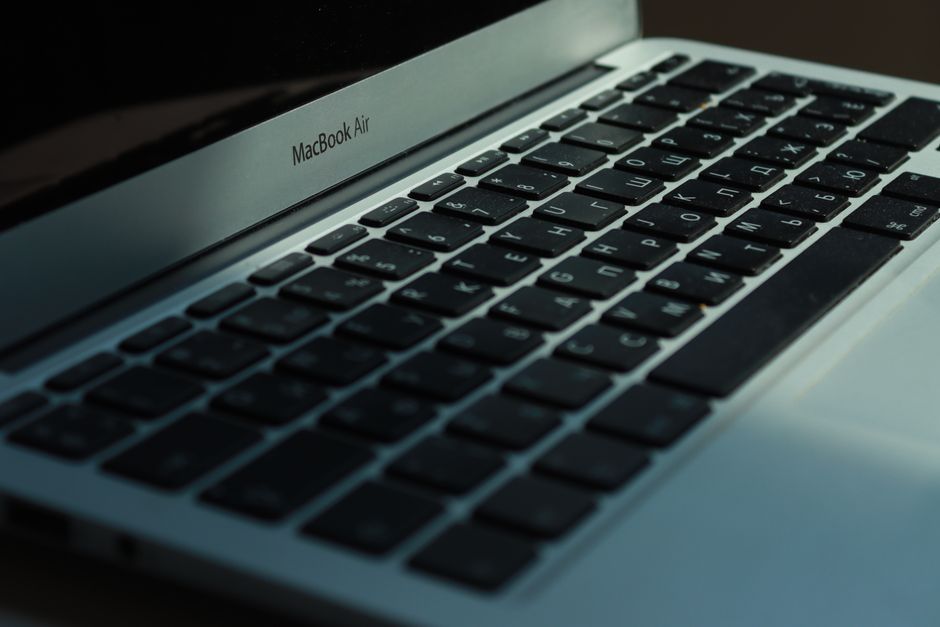
MacBook Air with Apple Silicon: A Revolution in Portable Computing
The MacBook Air, once known for its portability and accessibility, has undergone a radical transformation with the introduction of Apple Silicon. This fundamental shift in processing architecture has propelled the MacBook Air from a capable everyday laptop to a powerhouse of performance, efficiency, and a compelling choice for a wide spectrum of users. The heart of this revolution lies in Apple’s custom-designed System on a Chip (SoC), which integrates the CPU, GPU, Neural Engine, and I/O into a single, highly optimized unit. This integration eliminates the traditional bottlenecks found in Intel-based systems, leading to a dramatic improvement in speed, battery life, and thermal management. For users seeking a laptop that can handle demanding tasks while remaining exceptionally portable and silent, the MacBook Air with Apple Silicon represents a significant leap forward.
The core of the MacBook Air’s newfound prowess is the Apple Silicon chip itself, specifically the M1, M2, and M3 series in their various configurations. These chips are built on a highly efficient ARM architecture, a departure from the x86 architecture that powered previous Intel-based MacBooks. This architectural change is not merely a rebranding; it signifies a ground-up redesign of how the MacBook Air processes information. The SoC integrates multiple components onto a single chip, meaning data doesn’t have to travel across separate components, reducing latency and increasing speed. The CPU, for instance, features high-performance cores for demanding tasks and high-efficiency cores for everyday operations, dynamically balancing power and battery consumption. The integrated GPU, often a significant differentiator for Apple Silicon, offers impressive graphics performance, capable of handling video editing, photo manipulation, and even light to moderate gaming with surprising fluidity. The Neural Engine, a dedicated AI accelerator, further enhances performance in machine learning tasks, contributing to features like advanced image recognition in Photos, voice dictation accuracy, and intelligent content suggestions. This holistic approach to chip design is a key reason why the MacBook Air with Apple Silicon delivers such a compelling user experience.
One of the most significant benefits of Apple Silicon in the MacBook Air is the dramatic improvement in battery life. The ARM architecture is inherently more power-efficient than its x86 predecessors. This translates to a laptop that can easily last an entire workday, and often longer, on a single charge, even under moderate to heavy usage. For students, professionals, and frequent travelers, this extended battery life is a game-changer, freeing them from the constant search for power outlets. The efficiency of the chip also allows for fanless designs in many MacBook Air models, contributing to a silent computing experience. The absence of moving parts means no distracting fan noise, making it ideal for quiet environments like libraries, lecture halls, or offices. This thermal efficiency also prevents performance throttling that can occur in other laptops when they overheat, ensuring consistent performance throughout extended use.
The performance gains offered by Apple Silicon are readily apparent across a wide range of applications. Everyday tasks like web browsing, email, and document editing are executed with instantaneous responsiveness. However, the real magic happens when pushing the boundaries. Creative professionals will find the MacBook Air capable of handling tasks that were previously the domain of more powerful, and often more expensive, machines. Video editing in Final Cut Pro or iMovie is significantly smoother, with faster rendering times and the ability to handle higher resolutions and more complex timelines. Photo editing in applications like Adobe Photoshop and Lightroom is also noticeably snappier, with quicker application launches and more fluid brushwork. Even software development, a notoriously demanding task, sees tangible improvements in build times and application responsiveness. The unified memory architecture, where the CPU, GPU, and Neural Engine share a single pool of high-bandwidth, low-latency memory, further contributes to this performance boost by eliminating the need to copy data between separate memory pools.
The MacBook Air with Apple Silicon has also democratized access to powerful computing for a broader audience. While it was once common to associate high performance with larger, heavier laptops, the MacBook Air challenges this notion. Its slim and lightweight design remains a hallmark, making it incredibly portable. This combination of power and portability is a winning formula for students who need a reliable machine for coursework and research, professionals who require a capable device for on-the-go productivity, and casual users who simply want a fast, efficient, and enjoyable computing experience. The ecosystem of macOS, with its user-friendly interface, robust app store, and seamless integration with other Apple devices, further enhances the overall appeal of the MacBook Air.
When considering specific models, the evolution of Apple Silicon has brought about distinct advantages. Early M1 MacBook Air models represented a monumental leap from their Intel counterparts, offering exceptional performance and battery life. Subsequent iterations, like the M2 and M3 chips, have continued to build upon this foundation, introducing further performance enhancements, improved power efficiency, and more advanced graphics capabilities. The M2, for instance, brought a more powerful GPU and a refined architecture, while the M3 series has introduced further advancements in graphics rendering, including hardware-accelerated ray tracing for more realistic visuals in supported applications and games. The choice between M1, M2, or M3 often comes down to specific performance needs and budget considerations, with each generation offering a compelling upgrade path.
The software optimization for Apple Silicon is a crucial aspect of its success. Apple has worked diligently to ensure that its own applications, such as Safari, Mail, and Pages, are fully optimized for the new architecture. Furthermore, many third-party developers have also released Universal apps, which run natively on both Intel and Apple Silicon Macs, ensuring optimal performance. Rosetta 2, Apple’s translation layer, allows older Intel-based applications to run on Apple Silicon Macs with remarkable compatibility and performance. While native apps are always preferred for maximum efficiency, Rosetta 2 significantly bridges the gap, ensuring that users can access their existing software libraries without major disruption. This robust software ecosystem ensures that the MacBook Air with Apple Silicon is not just a powerful piece of hardware but a complete and functional computing solution.
Security has also been a key focus in the design of Apple Silicon. The Secure Enclave, a dedicated security coprocessor integrated into the chip, provides hardware-verified secure boot, protects sensitive data like Touch ID information, and encrypts system memory. This layered security approach offers peace of mind for users concerned about data protection and privacy, especially when handling sensitive work or personal information. The integration of security features at the hardware level provides a more robust defense against malware and other cyber threats compared to software-only solutions.
The transition to Apple Silicon has also had a profound impact on the thermal management of the MacBook Air. The inherent efficiency of the ARM architecture and the integrated design of the SoC allow for significantly reduced heat generation. This enables Apple to implement fanless designs in many MacBook Air models, leading to a completely silent operating experience. For users who work in quiet environments or are sensitive to noise, this is a significant advantage. Even in models with fans, the increased efficiency means fans are rarely needed, and when they are, they operate at very low speeds, making them virtually inaudible. This silent operation contributes to a more focused and less distracting work or study environment.
The display on the MacBook Air, often a Retina display, complements the performance of Apple Silicon. The high resolution, vibrant colors, and excellent color accuracy make it ideal for creative work, content consumption, and everyday use. The True Tone technology, which adjusts the color temperature of the display to match the ambient light, further enhances viewing comfort. When combined with the smooth performance and responsive touch trackpad, the overall user experience is incredibly refined and enjoyable.
The variety of ports on the MacBook Air, typically including Thunderbolt/USB 4 ports, offers versatility for connecting external displays, high-speed storage, and other peripherals. While the MacBook Air might not offer the extensive port selection of some other laptops, the inclusion of Thunderbolt/USB 4 ensures high bandwidth and fast data transfer rates, crucial for demanding workflows. The MagSafe charging port, reintroduced in newer models, offers a convenient and safe way to charge the laptop, preventing accidental dislodging of the charging cable.
The future of the MacBook Air with Apple Silicon appears exceptionally bright. With each iteration of Apple Silicon, the performance, efficiency, and capabilities of the MacBook Air continue to improve. As software continues to be optimized for the platform, the MacBook Air is poised to become an even more dominant force in the portable computing market, offering a compelling blend of power, portability, and sustainability. The ongoing development of custom silicon by Apple suggests a long-term commitment to this architecture, promising continued innovation and performance gains for MacBook Air users. The ability of Apple to tightly integrate hardware and software allows for a level of optimization that is difficult for competitors to match, ensuring that the MacBook Air remains at the forefront of personal computing.