
Microsoft Surface Pro: The Ultimate Hybrid Laptop-Tablet Experience
The Microsoft Surface Pro line represents a pivotal evolution in personal computing, seamlessly blending the power and productivity of a laptop with the portability and touch-first interaction of a tablet. This hybrid device, first introduced by Microsoft, has consistently pushed the boundaries of what’s possible in a single form factor, catering to a diverse range of users, from students and creative professionals to business executives and everyday consumers. Its design philosophy centers on versatility, allowing users to adapt their computing experience to any task or environment without compromise. The core appeal lies in its ability to function as a robust workstation for demanding applications and as a lightweight, intuitive device for on-the-go content consumption and creative expression.
At its heart, the Surface Pro’s innovation lies in its meticulously engineered chassis and integrated kickstand. This allows the device to transform from a flat tablet into a laptop with a traditional keyboard and trackpad setup in seconds. The kickstand, a signature feature, offers multiple viewing angles, ensuring ergonomic comfort whether you’re typing on a desk, sketching on a plane, or presenting in a meeting. This adaptability is crucial for users who require a device that can keep pace with their dynamic workflows. Beyond the physical design, the Surface Pro boasts a vibrant PixelSense™ touchscreen display, renowned for its sharp resolution, accurate color reproduction, and impressive touch response. This high-quality display is not merely for consumption; it’s an integral part of the user experience, facilitating precise stylus input and intuitive touch navigation, making it a powerful tool for digital artists, designers, and anyone who prefers a more direct interaction with their digital content.
Under the hood, the Surface Pro consistently leverages Intel’s latest Core processors, offering a spectrum of performance options to suit different needs and budgets. From energy-efficient Intel Core i3 processors for lighter tasks to powerful Intel Core i7 variants for demanding professional software, the Surface Pro can handle a wide range of computational workloads. This processing power, coupled with ample RAM options (typically ranging from 4GB to 16GB, and in some configurations even higher), ensures smooth multitasking and efficient operation of even resource-intensive applications. The inclusion of solid-state drives (SSDs) as standard storage further contributes to the device’s responsiveness, drastically reducing boot times and application load times. This focus on performance means users can transition between tasks with minimal lag, enhancing overall productivity.
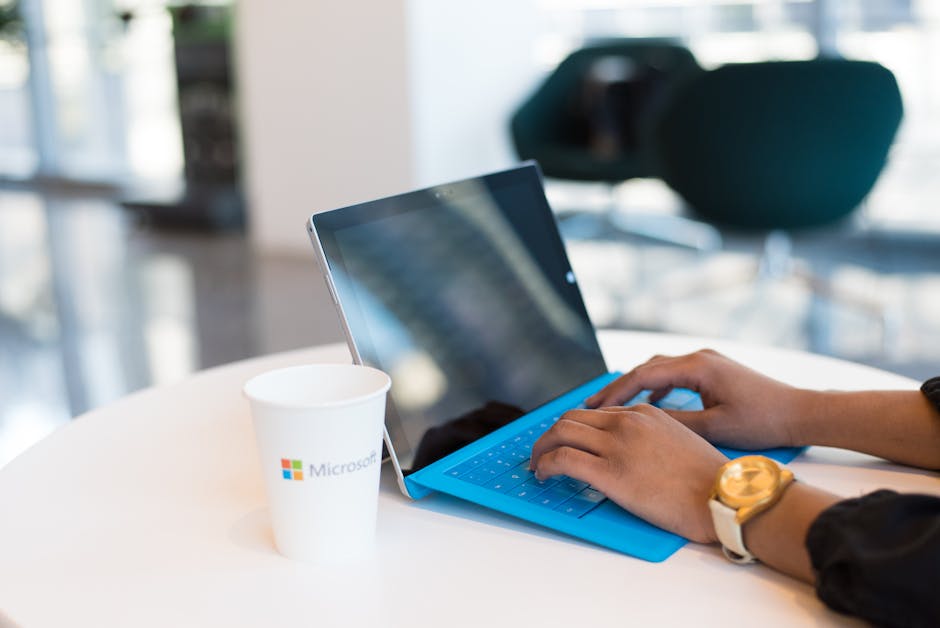
The Surface Pro ecosystem extends beyond the tablet itself, with a suite of accessories designed to enhance its functionality and user experience. The Surface Pro Type Cover, a magnetically attaching keyboard and trackpad, is arguably the most essential accessory, transforming the tablet into a fully functional laptop. These covers come in various materials and colors, often featuring backlit keys for low-light typing and integrated precision trackpads for smooth cursor control. For creative professionals, the Surface Pen is an indispensable tool. This pressure-sensitive stylus offers an incredibly natural drawing and writing experience, mimicking the feel of pen on paper. With tilt and pressure sensitivity, it allows for nuanced strokes and detailed work, making it a favorite among artists, designers, and note-takers. Other accessories include docking stations for expanded connectivity, wireless mice for more traditional desktop use, and protective sleeves to safeguard the device.
When considering the competitive landscape, the Surface Pro occupies a unique niche. While many manufacturers offer powerful laptops and dedicated tablets, few devices achieve the same level of seamless integration and versatility. Competitors often fall into one of two camps: laptops that are too bulky to be comfortable as tablets, or tablets that lack the processing power and keyboard-centric productivity of a laptop. The Surface Pro bridges this gap by offering a premium build quality, a highly functional operating system (typically Windows 11 Home or Pro), and a refined user experience that appeals to those who value both performance and portability. Its ability to run full desktop applications means users aren’t limited to mobile-optimized software, a significant advantage for professionals.
The evolution of the Surface Pro has seen continuous improvements in design, performance, and features. Early iterations focused on establishing the hybrid concept, while later models have refined the kickstand mechanism, improved display technology, and integrated more powerful processors. Battery life has also been a key area of development, with Microsoft striving to provide all-day power for mobile users. The device’s build quality, typically featuring a magnesium alloy chassis, contributes to its premium feel and durability, making it a device that users can rely on for years to come. The inclusion of front- and rear-facing cameras, stereo speakers, and Wi-Fi connectivity further adds to its versatility for video conferencing, entertainment, and staying connected.
For business users, the Surface Pro offers significant advantages. Its compact size makes it ideal for travel, presentations, and in-field work. The Windows operating system provides compatibility with enterprise software and security features, making it a viable option for corporate deployments. The ability to run Windows 11 Pro offers advanced networking, security, and management capabilities essential for business environments. Furthermore, the touch and pen input can streamline data entry and client interactions. The Surface Pro can also be easily managed within existing IT infrastructures, simplifying deployment and maintenance.
Students also benefit greatly from the Surface Pro’s adaptability. It can serve as a traditional laptop for research, writing papers, and attending online lectures, while also transforming into a tablet for digital note-taking, annotating textbooks, and creative projects. The portability ensures it can be easily carried between classes and to study groups. The integration with Microsoft 365 apps makes it a seamless fit for academic workflows, allowing for easy document creation, collaboration, and cloud storage. The stylus capability is particularly useful for subjects that involve diagrams, equations, or extensive handwritten notes.
The creative professional market has embraced the Surface Pro as a powerful mobile studio. Digital artists, illustrators, graphic designers, and photographers can leverage the PixelSense™ display and Surface Pen for detailed work on the go. The device’s ability to run professional creative software like Adobe Creative Suite, Autodesk Maya, or DaVinci Resolve makes it a capable alternative to more traditional desktop workstations. The fast SSD storage ensures that large project files can be accessed and manipulated efficiently, and the processing power can handle the demands of complex rendering and editing tasks. The portability allows these professionals to work from anywhere, whether it’s a client’s office, a coffee shop, or a remote location.
When it comes to connectivity, the Surface Pro typically features a robust selection of ports, though often with a focus on modern standards. Expect USB-C ports for data transfer and charging, a headphone jack, and a microSD card reader for expandable storage. Newer models may also include Thunderbolt support for higher bandwidth data transfer and external display connectivity. Wi-Fi and Bluetooth are standard, ensuring seamless wireless connectivity to networks and peripherals. For those requiring more extensive wired connections, Surface Dock or other USB-C docking stations can expand the port selection significantly, turning the Surface Pro into a full desktop setup with multiple monitors, Ethernet, and additional USB ports.
The security features of the Surface Pro are also noteworthy. Windows Hello facial recognition, leveraging the front-facing camera, offers a convenient and secure way to log in to the device. Many models also include a fingerprint reader integrated into the power button. The Windows operating system itself provides robust security measures, including Windows Defender Antivirus, BitLocker drive encryption, and regular security updates to protect against evolving threats. For business users, these security features are paramount in safeguarding sensitive data and ensuring compliance with industry regulations.
The operating system choice is almost exclusively Windows, specifically Windows 11 Home or Pro editions. This provides users with access to the vast Windows application ecosystem, ensuring compatibility with virtually any software they might need. The touch-first optimization of Windows 11, coupled with the Surface Pro’s hardware, creates a fluid and responsive user interface that adapts well to both touch and keyboard input. This duality is a core strength of the Surface Pro, allowing users to choose their preferred interaction method for any given task.
In summary, the Microsoft Surface Pro stands as a testament to innovative design and engineering, offering a compelling hybrid computing solution. Its ability to seamlessly transition between laptop and tablet functionalities, coupled with powerful performance, a stunning display, and a robust accessory ecosystem, makes it a highly versatile device. From students and creative professionals to business users and everyday consumers, the Surface Pro caters to a wide array of needs, providing a premium and adaptable computing experience that remains at the forefront of portable technology. Its consistent evolution, focusing on user needs and technological advancements, ensures its continued relevance and appeal in the dynamic personal computing market.





Leave a Reply